
Kitchen and cook line
- Hot-holding temperatures
- Fryer oil and hood filters
- Sanitizer strength
Opening, closing and food-safety checklists your team fills in on a phone while they walk the restaurant. Photos as proof, fixes written down, and a text to the manager if anything is late.

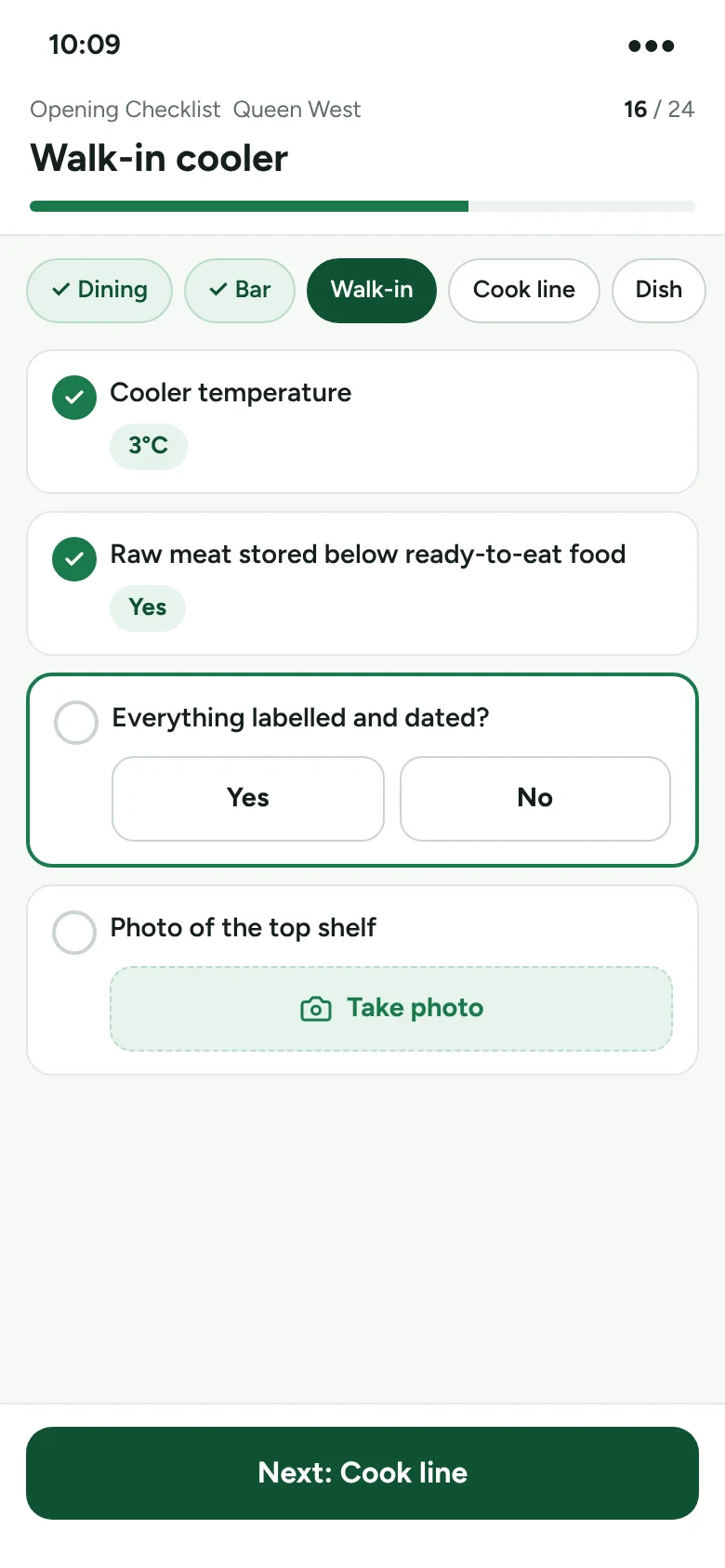
Front of house and back of house, opening to close. Here are a few of the checks restaurants run every day.


With a clipboard, managers walk back to the office after every area. RestoRepo puts the checks in the order your team already walks, so the whole restaurant is done in one loop.
Four steps your team learns on the first shift.
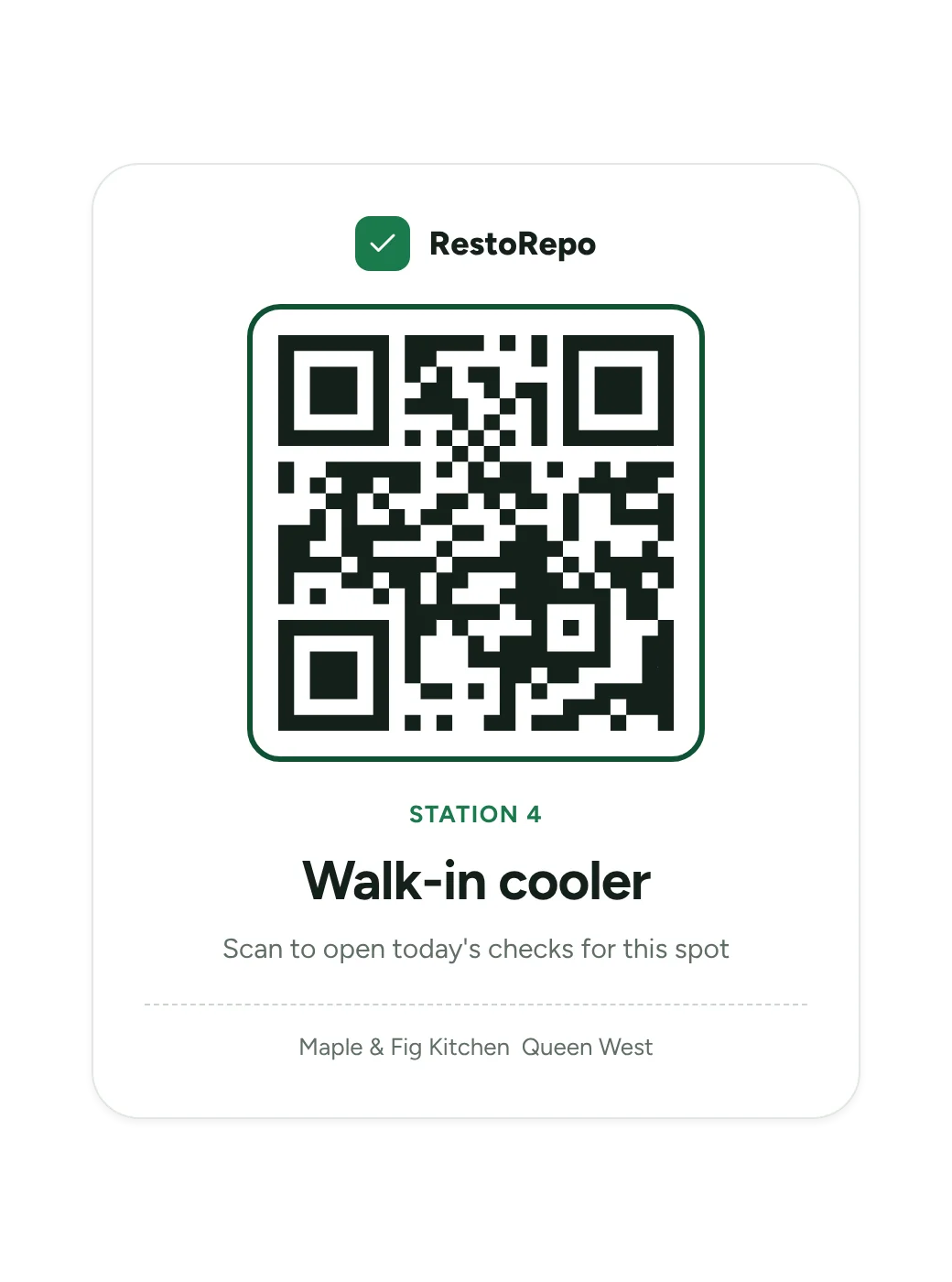
Each area has its own QR sticker. Scanning it opens today's checks for that spot.
Yes or no, temperatures, counts and photos, with big buttons made for one hand.
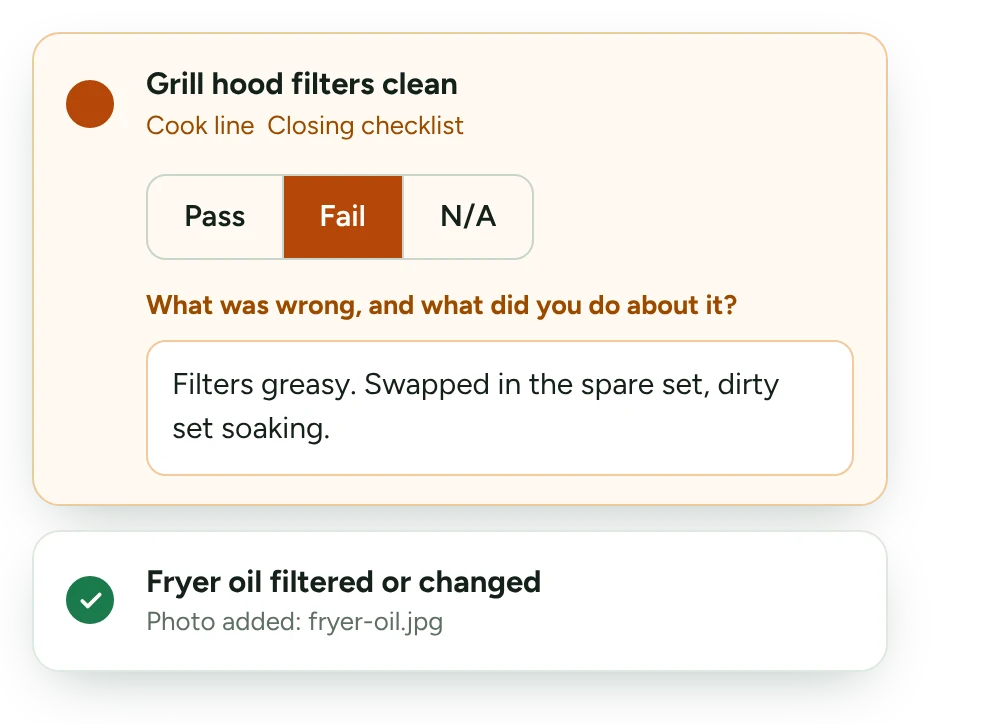
A failed check or an out-of-range temperature asks what was done about it.
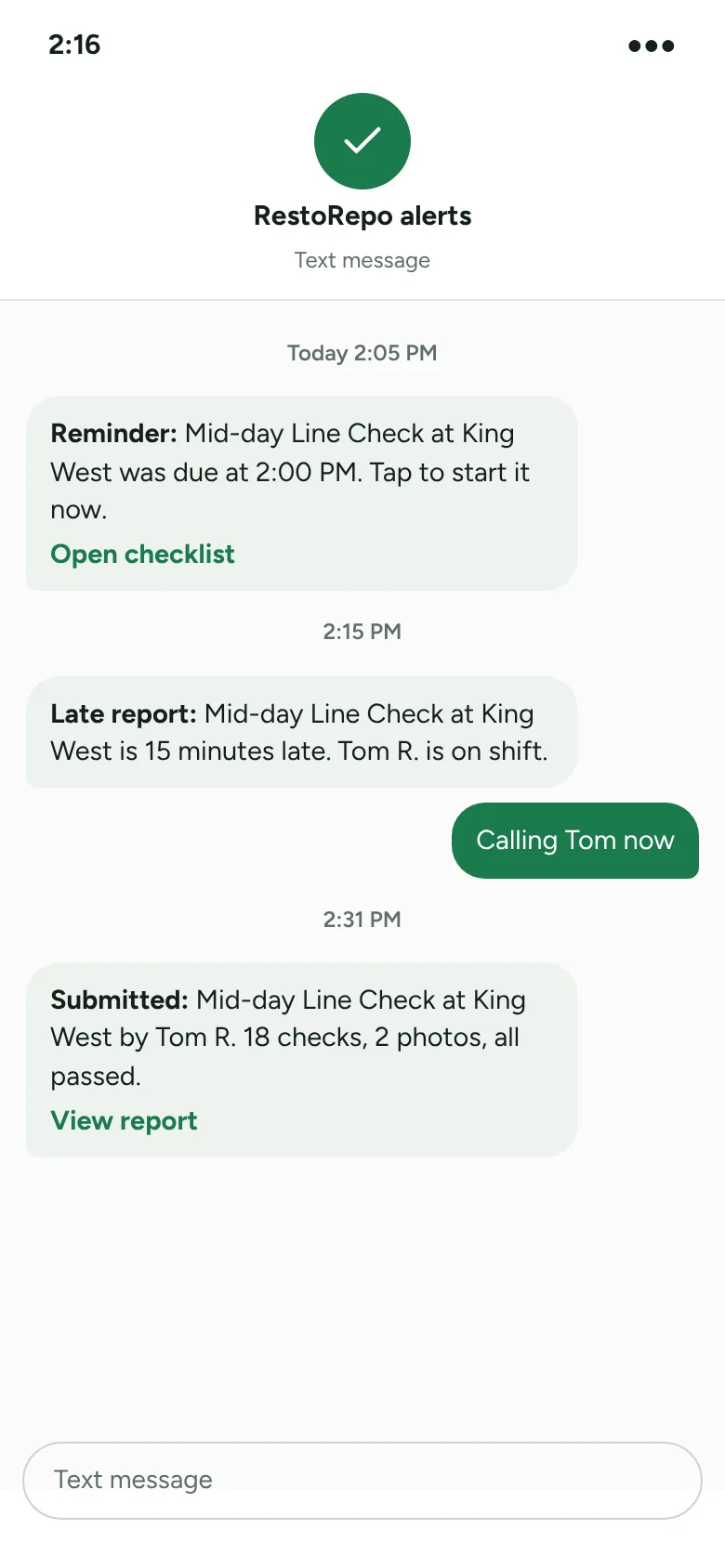
The report arrives with names and times. If it's late, the right person gets a text.
What RestoRepo looks like day to day, shown with example data from a made-up restaurant group.
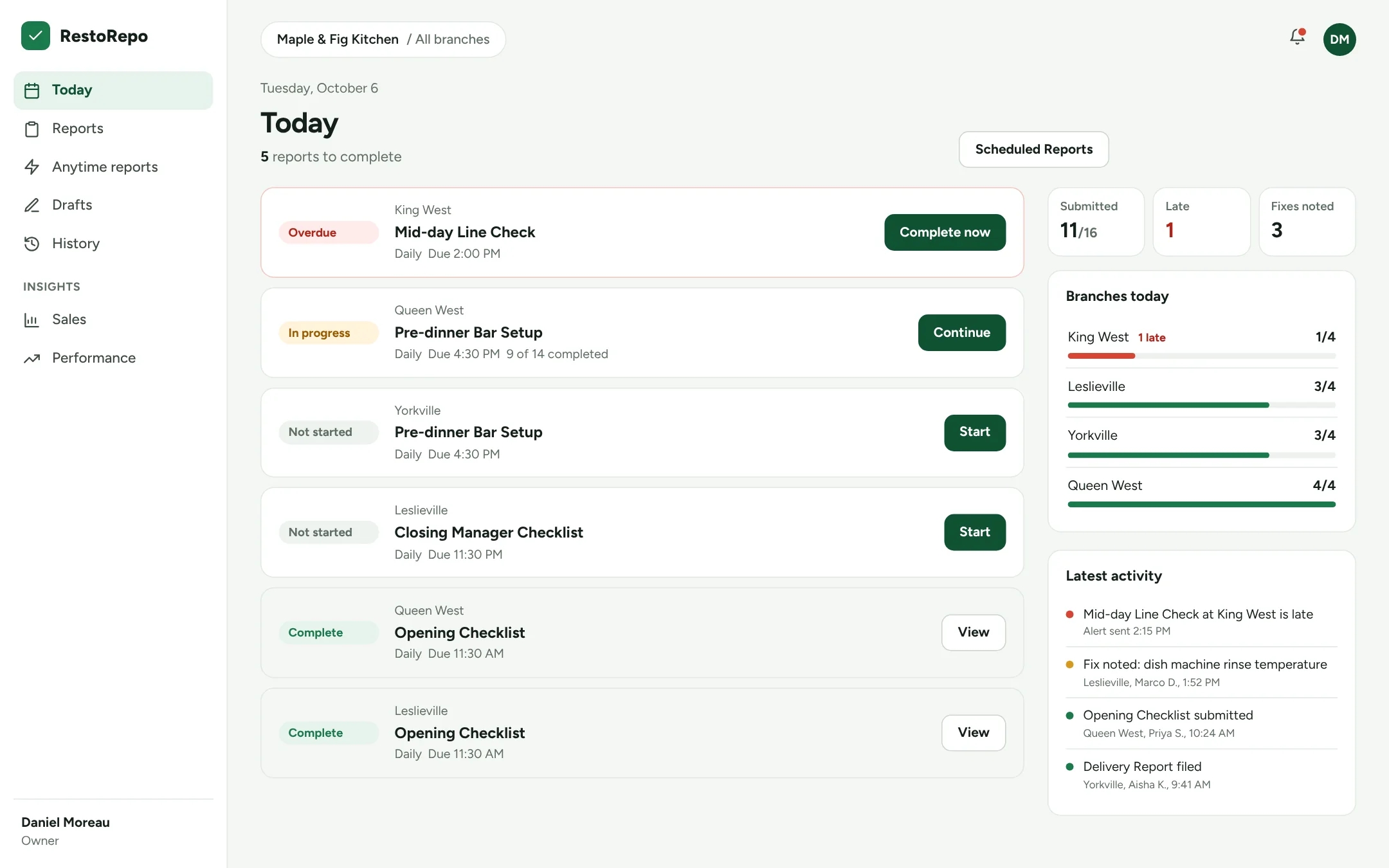
See every branch's reports for the day: what's done, what's due soon and what's late.
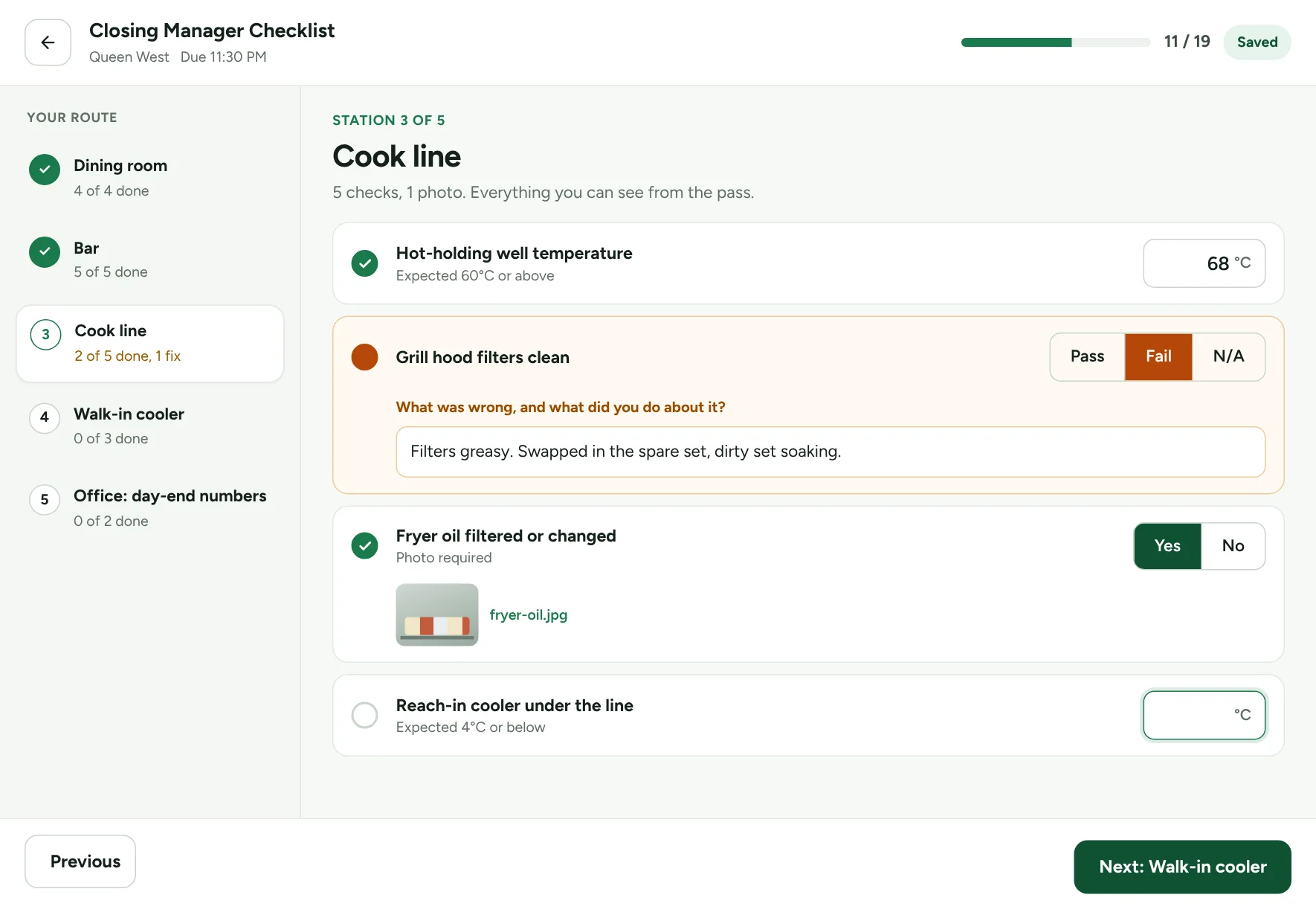
Checks grouped by station, in walking order. Failed checks ask for the fix.
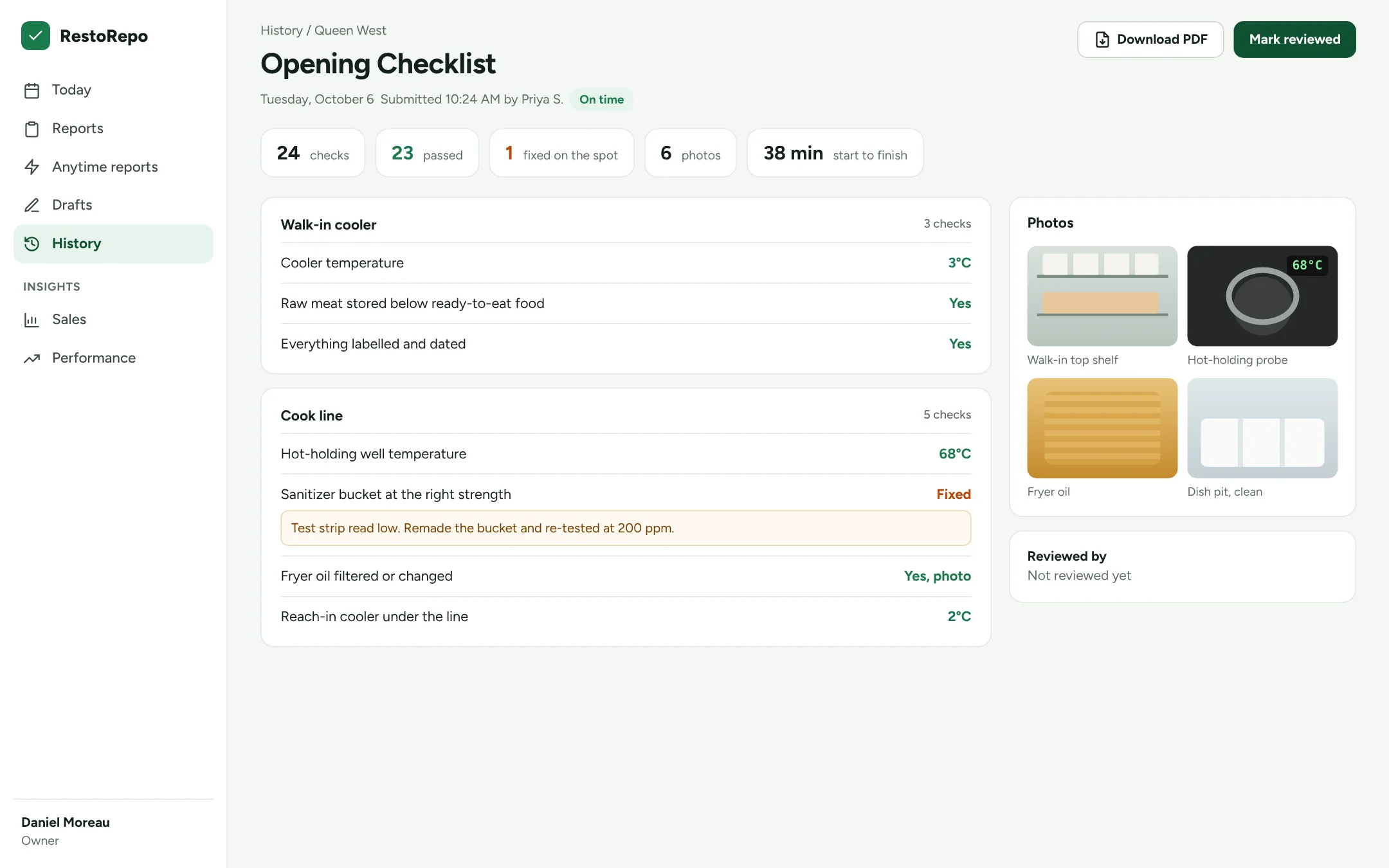
Every answer, note and photo with who did it and when. Download as a PDF.
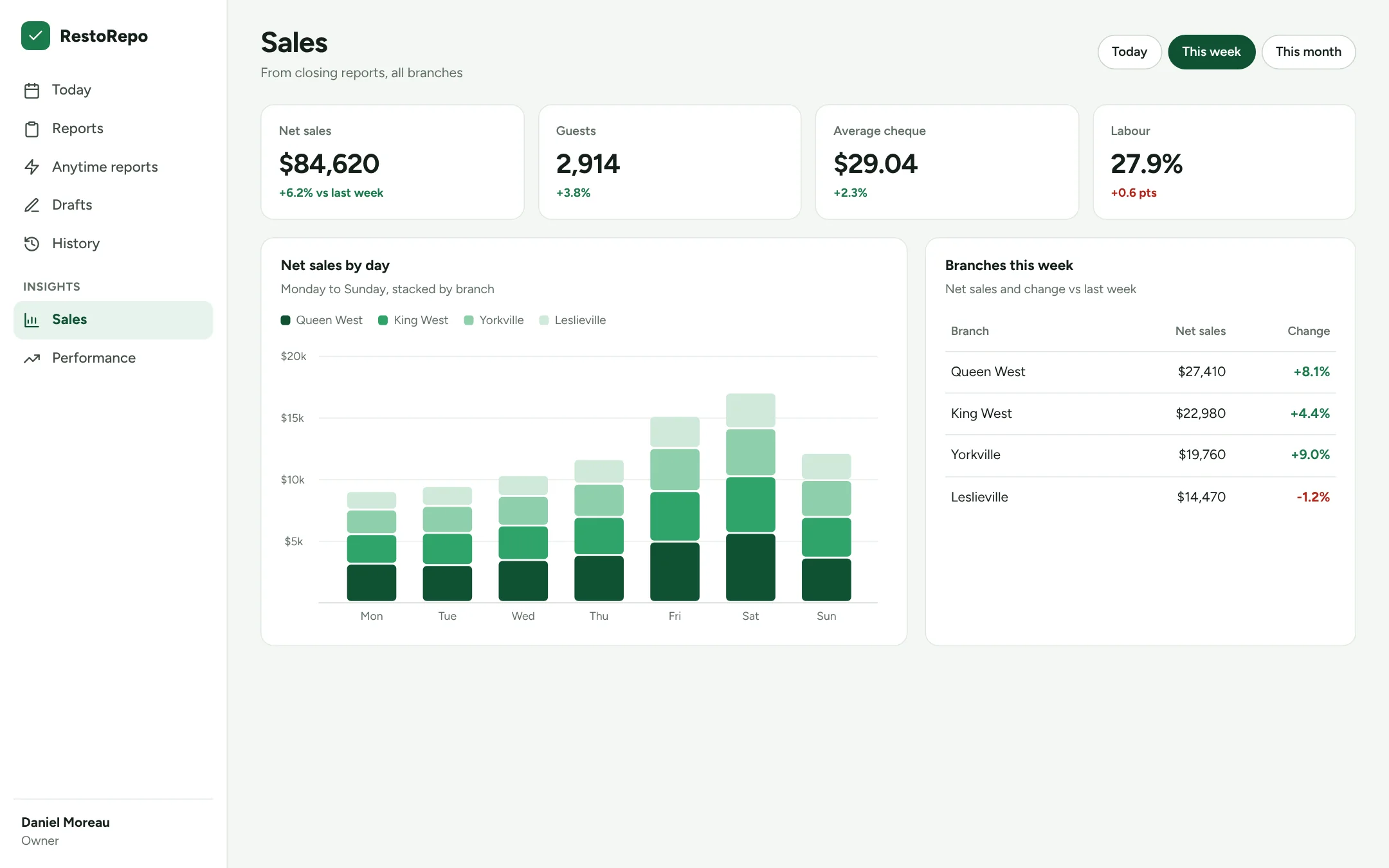
Closing numbers from each branch roll up into a simple weekly view.
A text, WhatsApp message or phone call when a report is late, and when it comes in.
Quick to fill in, easy to check, hard to skip.
Reminders for the person on shift, then a text, WhatsApp message or call to their manager. You choose who and when.
Ask for a photo on any check: the line before service, walk-in shelves, the cash drawer.
Build opening, mid-shift, closing and weekly reports yourself, in walking order.
See which branches have reported today and how each one is doing over the month.
Download any report, or a whole month, as a clean PDF with answers, notes and photos.
Incidents, equipment problems and deliveries get filed when they happen, not at the end of the week.
Something else on your mind? Talk to us.
Most people finish their first checklist without help. It works like a simple app: tap the station, answer the checks, press submit. We walk your managers through setup during onboarding.
Yes. RestoRepo runs in the web browser on any modern phone, tablet or computer. There's nothing to install from an app store.
Yes. Send us what you use today, on paper or in a spreadsheet, and we'll help you turn it into stations in the right order.
Answers save as you go. A manager can jump between stations, or leave and come back, without losing what's already been entered.
Yes. Each location gets its own schedule and hours, and staff only see the branches they work at. Owners and area managers see all of them.
Pricing depends on how many locations you run. Tell us a little about your restaurants and we'll send a quote.

Send us one checklist you use today. On the demo we'll show it to you as stations, on a phone.